TRY FREE!
Try ADL Today! ADL is free and available in public preview preview
The quickest path is to install a starter solution from the Marketplace, run the generator, and see real output land in your repository within minutes.
Roelant Vos
Classifications in ADL are core to the management of your design metadata. How you tag a piece of metadata drives to a large extent what it actually represents, and through which perspectives you want to visualize and interact with the metadata.
A column might hold Personally Identifiable Information (PII), a table might belong to the staging layer, a connection might point at sensitive data. Useful information — but only if you can see it where you are working.
That is what classification chips are for.
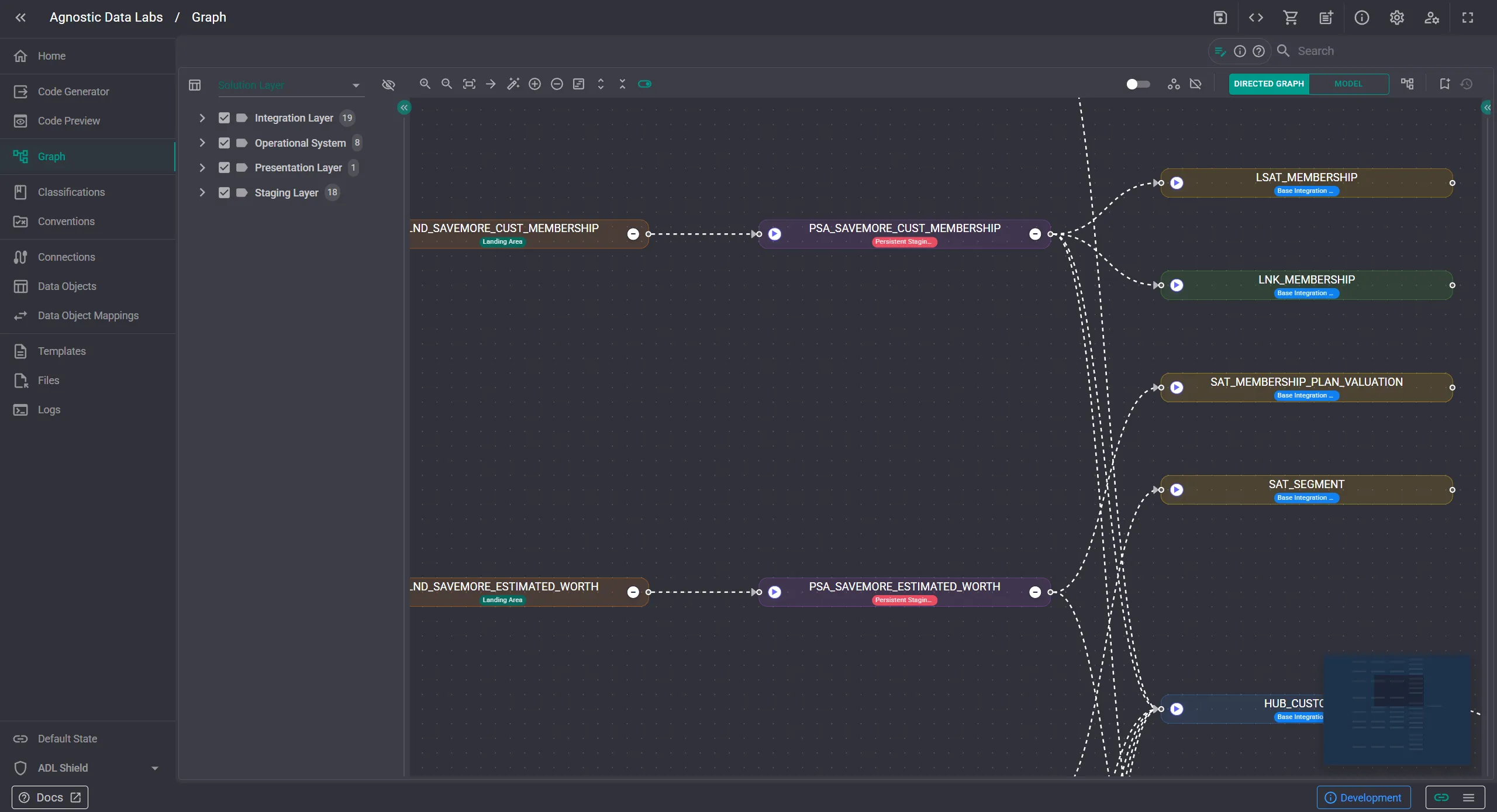
When chips are enabled, the classifications appears directly on the nodes in the model view and the directed graph. No drilling into a properties panel, no cross-referencing a separate screen. The label is right there on the node.
The interesting part is how you decide which classifications show up.
Rather than rendering every chip on every node — which would quickly turn the graph into noise — you configure this through personas. A persona is a collection of configurations tailored to a role or task: a compliance reviewer, a data architect, a developer working on a specific layer.
Each persona picks which classifications it cares about, and the chips render accordingly.
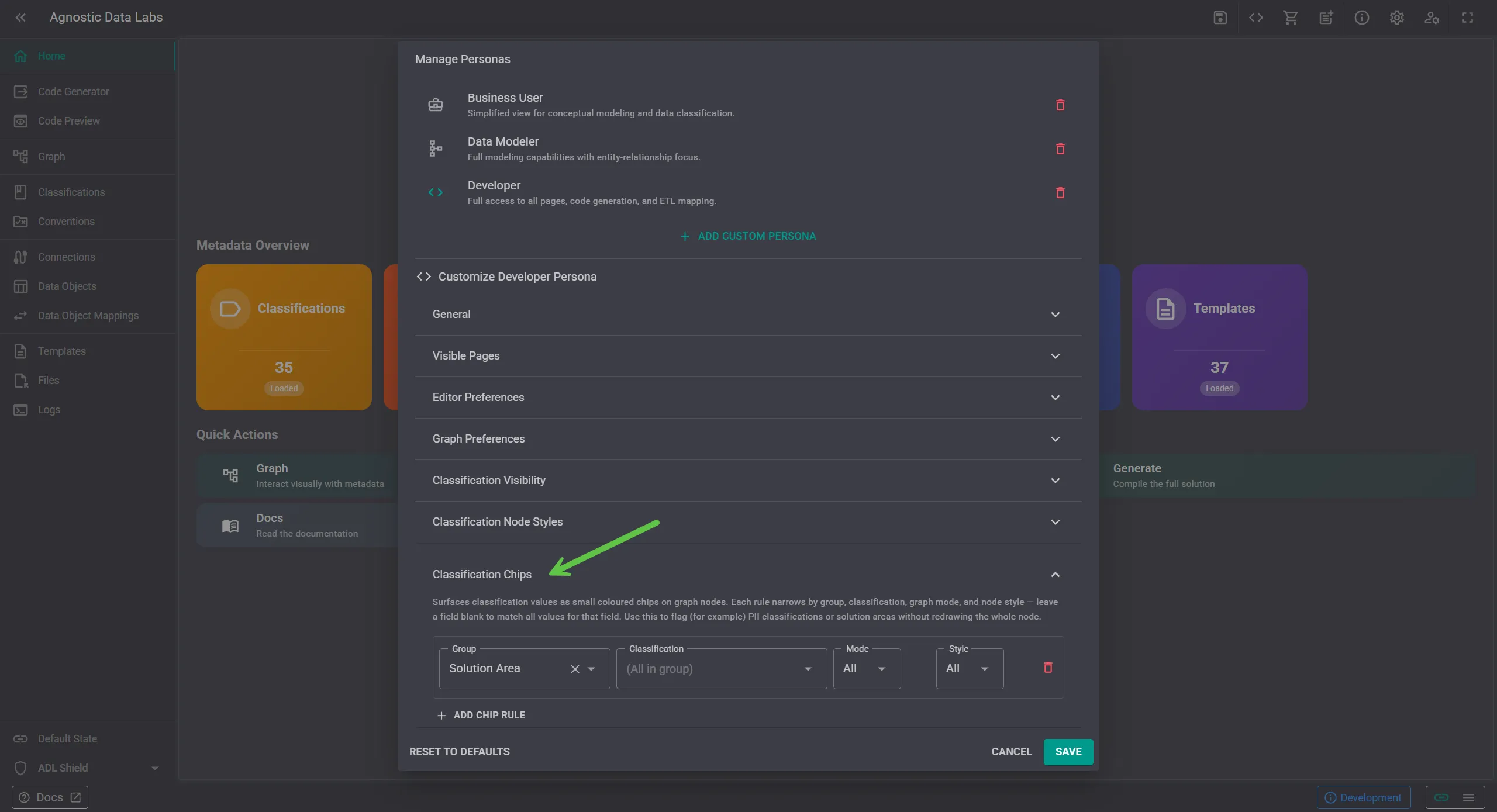
A few examples of how this plays out in practice:
Because personas are configuration, not code, you can switch perspectives without changing your underlying metadata. The chips reflect how you want to look at the project right now, not a permanent decoration.
The broader idea is consistent with how ADL treats classifications generally: they are metadata you own, used both by the platform to inform what you see, and by templates to inform what is generated.
Try it out in your own project at https://app.agnosticdatalabs.com.
The quickest path is to install a starter solution from the Marketplace, run the generator, and see real output land in your repository within minutes.