TRY FREE!
Try ADL Today! ADL is free and available in public preview preview
The quickest path is to install a starter solution from the Marketplace, run the generator, and see real output land in your repository within minutes.
Roelant Vos
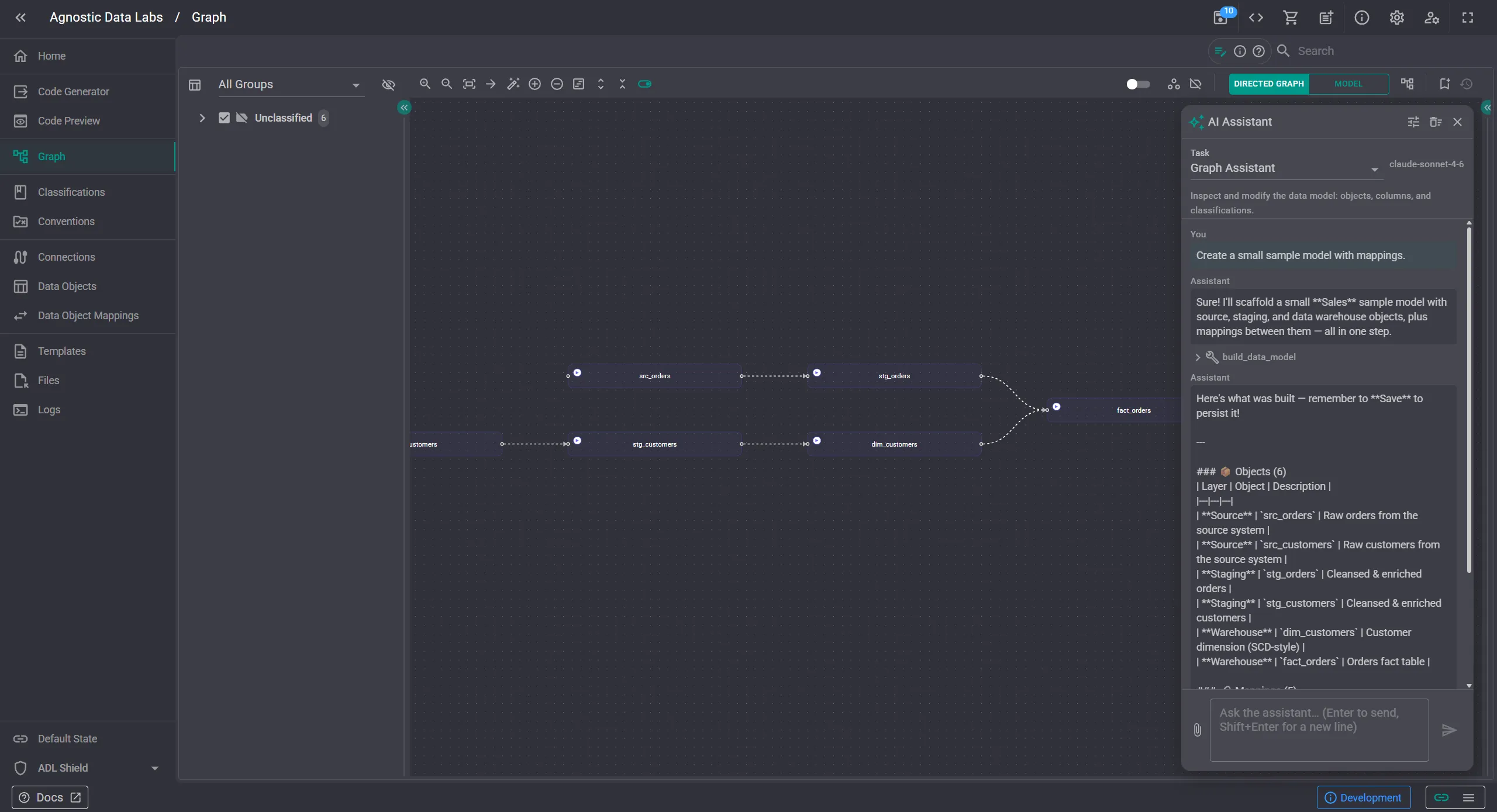
AI is pervasive everywhere, and it can be a huge enabler and time-saver. For us that raised an awkward question, how can we incorporate AI without being a processor of your metadata? ADL is the opposite of ‘send us your data and we’ll store it’: your design metadata stays on your machine, in your repo, and under your control. Adding an AI feature the obvious way -by proxying requests through a server- would have broken this promise.
The app runs entirely in your browser, so we’ve created a new AI Assistant where your browser calls your chosen AI provider with your own API key. The key lives in your browser’s local storage, and is not written into your project folder so it cannot accidentally end up in your git history.
It’s not a marketing gimmick, but a structural property of where the bytes actually flow: your data stays with you and your AI provider. We started with Anthropic, behind a provider abstraction so others can follow.
The AI Assistant is wired into ADL, not bolted on top - so it can make real changes to your metadata. It’s available everywhere, scoped to what that screen is for. Here are some examples of what you can do:
In short: you describe the outcome, the assistant does the heavy lifting, and you stay in control of the result.
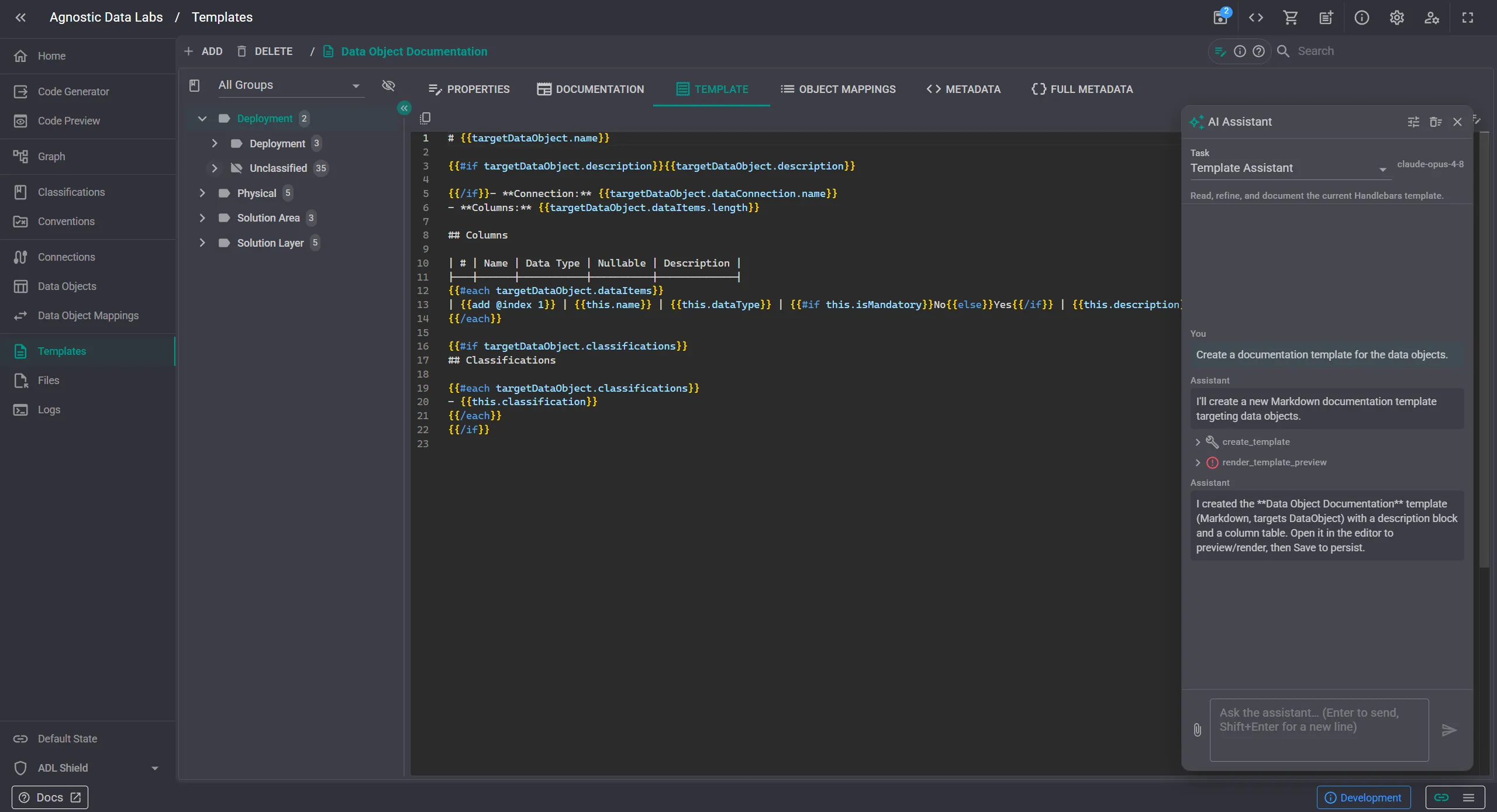
The same assistant shows up scoped to whatever screen you are on. On the Templates page, it works with the templating engines and their documentation:
On the Code Preview page it works with the rendered output, comparing versions and explaining what changed:
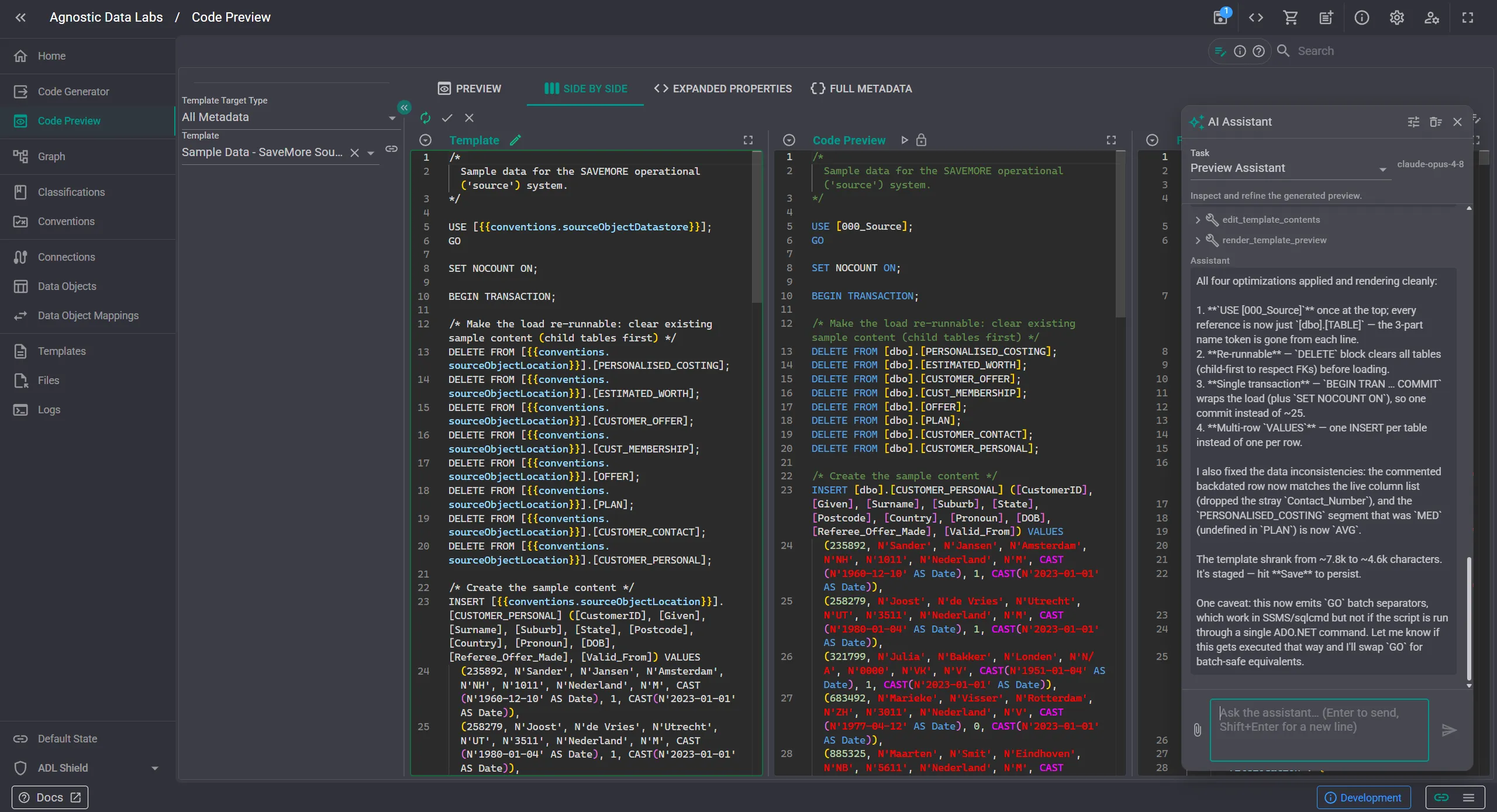
It’s the same pattern across screens: a panel on the right, your prompt, structured tool calls, and immediate effect.
This way, the model returns actions, not prose. Instead of asking the AI to return a slightly-different-every-time blob of your data, it calls small, strongly-typed tools such as ‘add a column’, ‘create a mapping’, ‘render this template’. Those tools mutate the in-memory model that the canvas and editors are already bound to, so you watch each change happen live. Additionally, nothing the assistant does touches the disk on its own. The Save is the gate to persist the changes made by the assistant. The model proposes and applies changes in memory; you remain the only one that commits them.
In some cases, bulk or destructive operations ask for confirmation first. These guardrails are not a black box either: each screen’s assistant has a system prompt and toolset you can read and edit, so you can see exactly what’s being told to the model and change it.
A few things we feel strongly about are of this approach:
The quickest path is to install a starter solution from the Marketplace, run the generator, and see real output land in your repository within minutes.