TRY FREE!
Try ADL Today! ADL is free and available in public preview preview
The quickest path is to install a starter solution from the Marketplace, run the generator, and see real output land in your repository within minutes.
Roelant Vos 3 min read
ADL is all about being open, and is built on top of a JSON exchange format — the Data Solution Automation metadata schema. Everything you author in the app ends up serialized against it. It’s not a private internal format; it’s a shared interface that’s open to any tool willing to read or write it.
That makes the schema itself worth understanding. It’s basically the metadata repository — but one you can directly activate and use. Until now you had two options to learn about this: read the C# source (object model), or read the schema docs the schema repo publishes. Both are fine — but neither lets you read the model the way ADL lets you work with it.
This is why we added the schema itself as a sample solution.
The new Data Solution Automation Schema sample in the Marketplace models all 15 schema types — DataObjectMappingList, DataObjectMapping, DataObject, DataItem, Relationship, Cardinality, the lot — as Data Objects in an ADL project.
Each property is a Data Item with its description and type. The structural composition between types (containment, references) is captured as Data Object Mappings, so the model can be navigated in both Model and Directed Graph perspectives. Two classification groups — Schema Category and Priority — let personas filter down to the parts you care about, e.g. hide the Detail types when you just want the essential shapes.
For delivery, we added code-generation templates that, when you run them, provide a complete Astro & Starlight documentation site for the schema, including a generated README.md telling you exactly how to run the output.
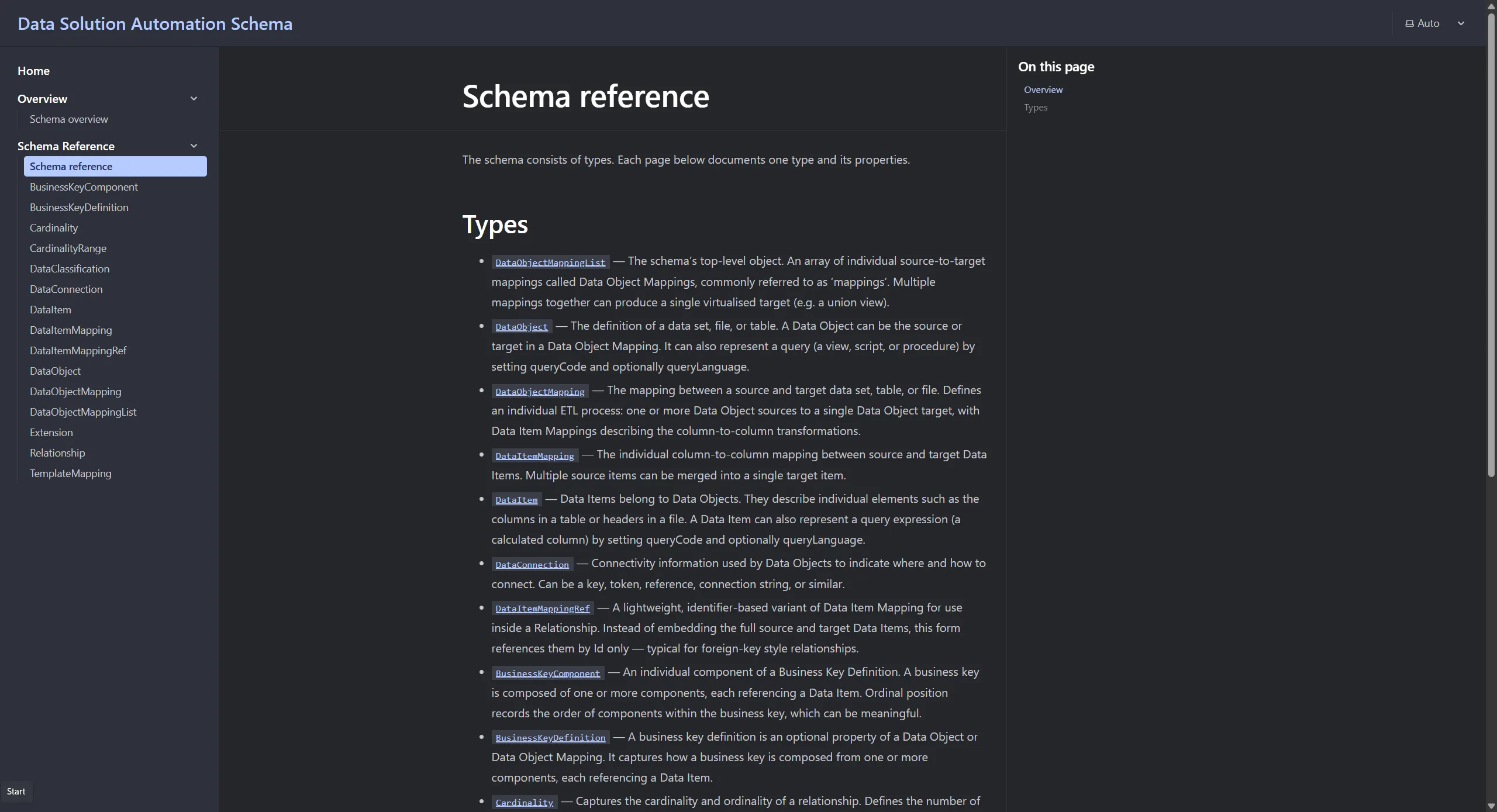
Through the templates, the various object relationships are rendered as a ReactFlow diagram with light interactivity — pan, zoom, and draggable nodes.
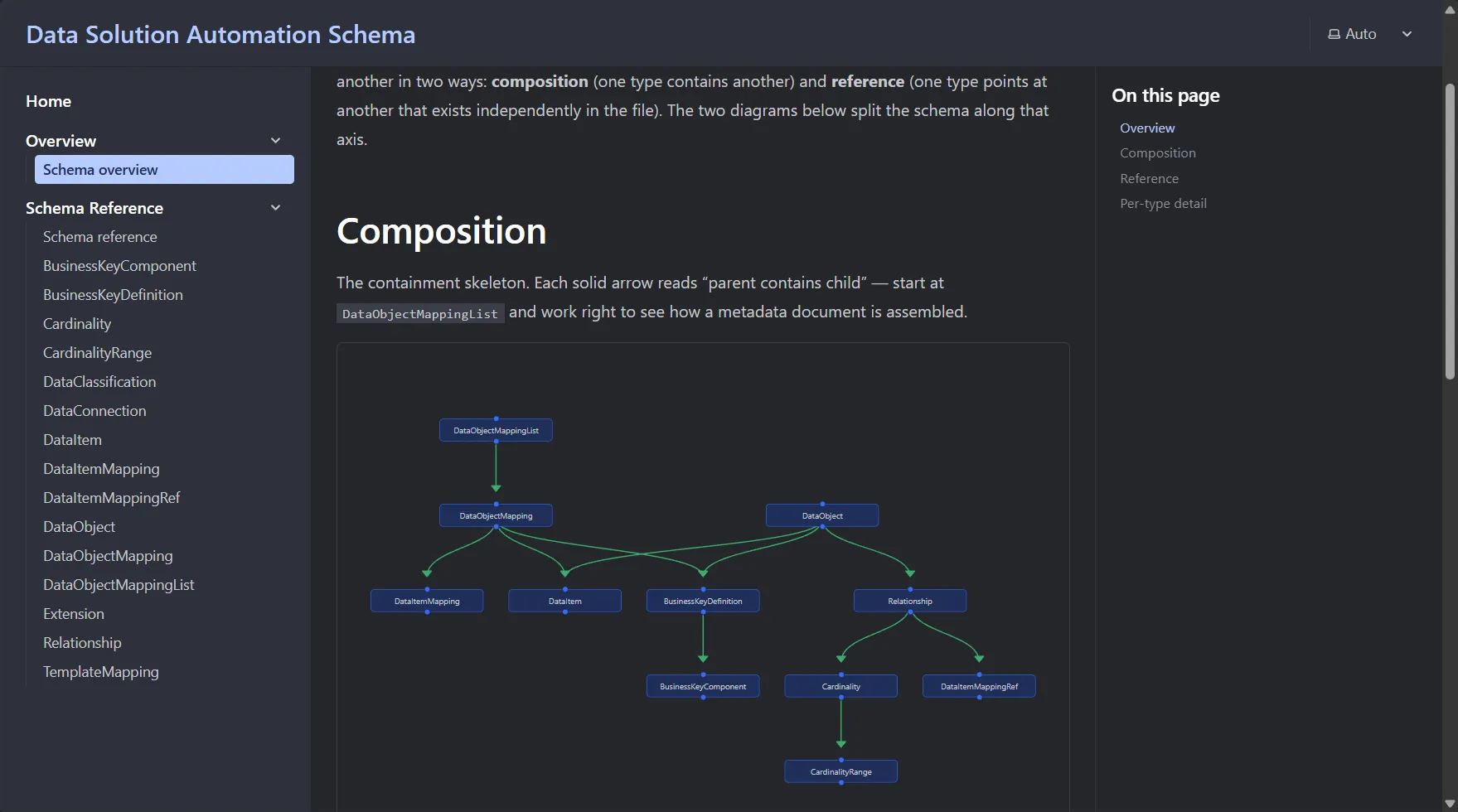
This provides an end-to-end worked example of ADL’s template generation. The templates run against ordinary Data Objects and Data Object Mappings (no special metadata), produce a real artefact you can run, and the output is plain Astro/Markdown — nothing locked into ADL.
The sample lives under the Conceptual Models group of the Marketplace at app.agnosticdatalabs.com:
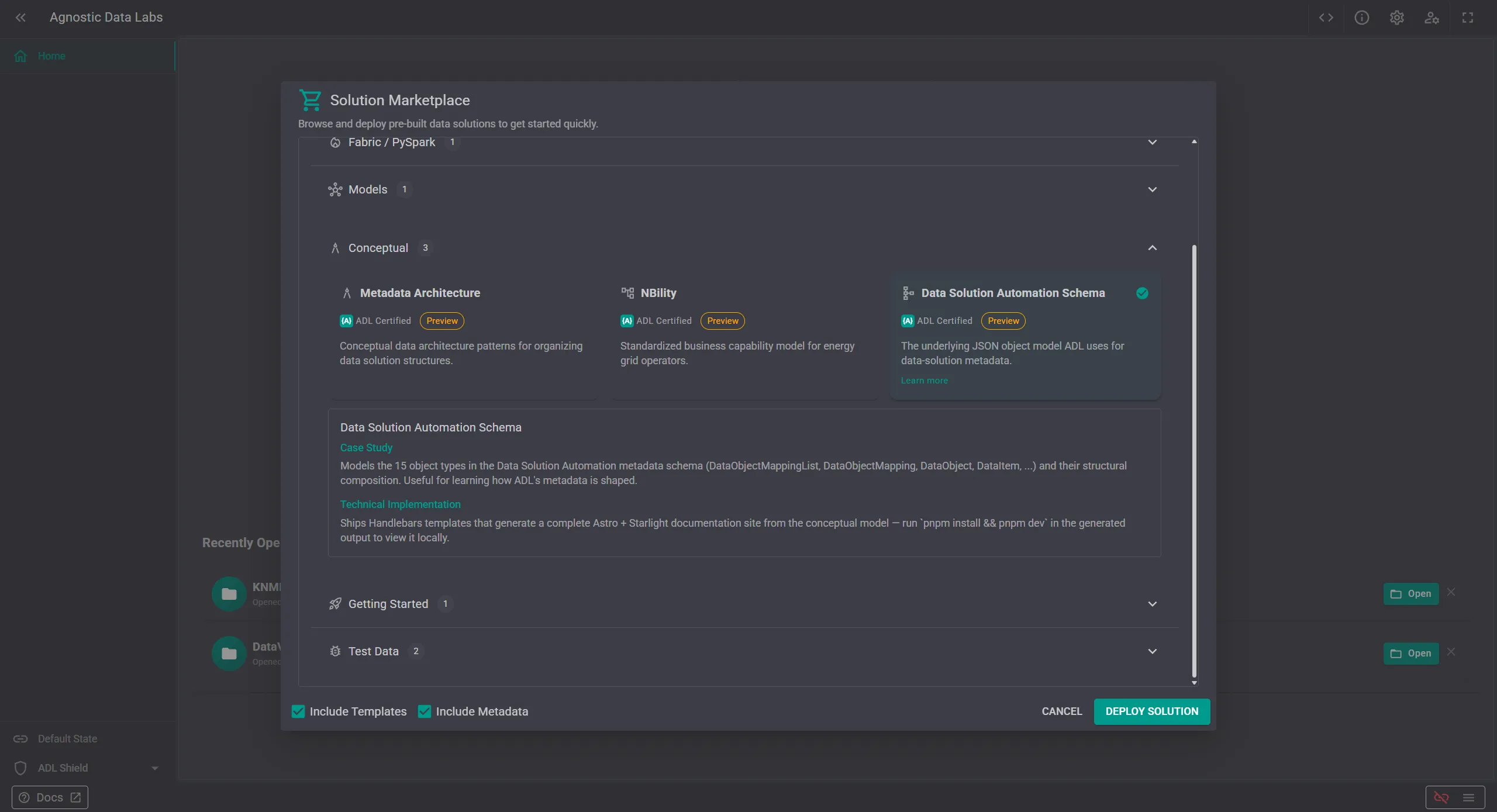
To get it up and running, from “I saw this post”to “I’m running the site on my machine”, follow the steps below.
1 Create a new project. Follow the instructions from the ADL start screen to setup a new repository, and select the ‘Solution from Marketplace’ to show the available samples.
2 Deploy the sample. Click Deploy on the card. ADL loads the sample objects into the new project. You can browse the metadata immediately.
3 Run Code Generation. Open the Generator page, hit Generate. Output lands in the folder you have connected as the project’s writable storage.
4 Run the site locally. See below.
Open the emitted output directory in Visual Studio Code, then run:
pnpm install
pnpm dev
Open http://localhost:4321 and you have a navigable schema reference running on your machine, derived from ADL metadata. Edit the model, regenerate, the docs follow.
If you’re learning the schema, learning the generator, or just want a referenceable copy of the exchange format that lives next to your own metadata, the sample is in the Marketplace at app.agnosticdatalabs.com.
The quickest path is to install a starter solution from the Marketplace, run the generator, and see real output land in your repository within minutes.