TRY FREE!
Try ADL Today! ADL is free and available in public preview preview
The quickest path is to install a starter solution from the Marketplace, run the generator, and see real output land in your repository within minutes.
Stefan Johansson 5 min read
ADL keeps metadata, templates, generated outputs, and documentation in files your team can read and version. That makes the repository more than storage — it becomes a workspace where cloud-based agents can inspect the model, reason over the data, and perform useful work on your behalf.
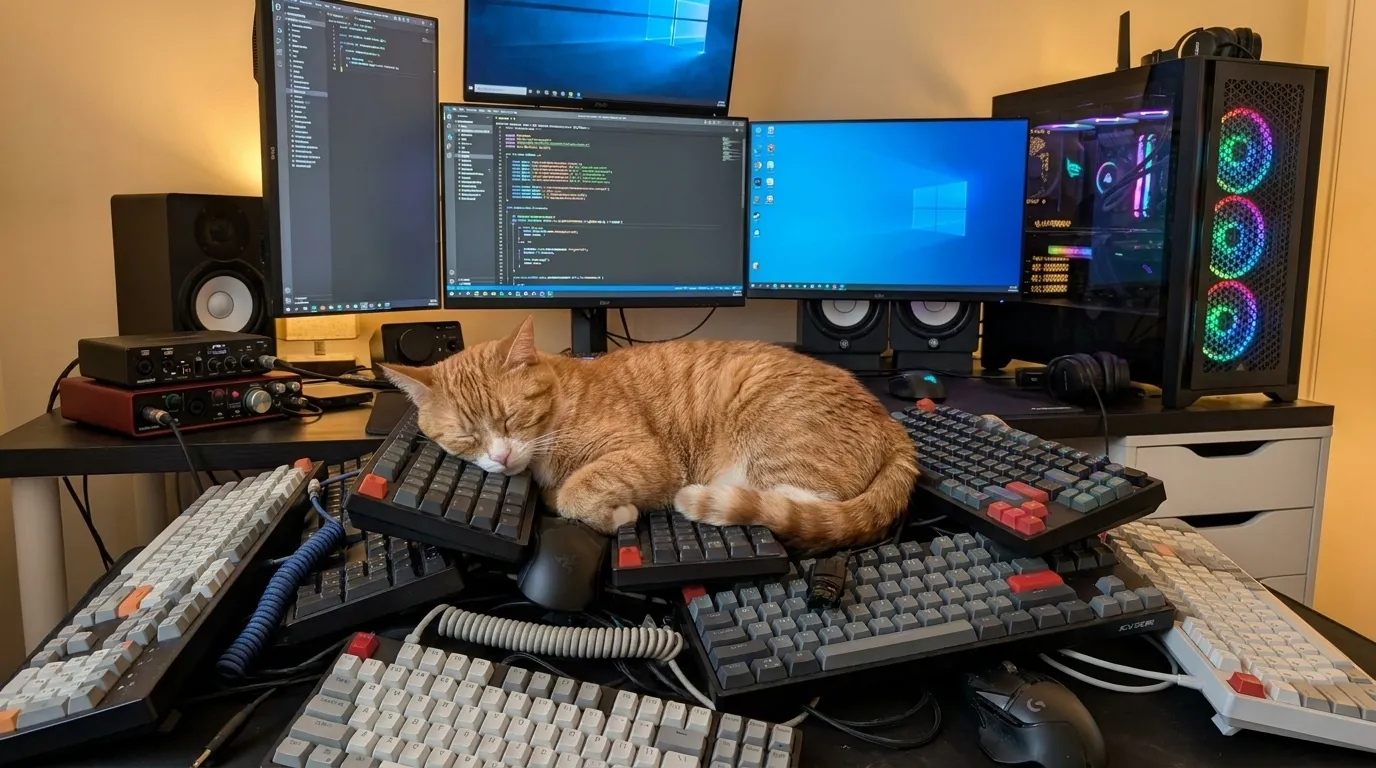
*This image was generated using AI (Google Flow), based on a photo of Rufus sleeping on my desk.
This post was generated using AI, in a Copilot agent session, illustrating the ability to work on ADL projects from anywhere. Since ADL is repo-backed, and uses text files agents can understand, you are not limited to a specific machine with a special software and a costly license to get work done.
This agent session request was created in the GitHub app on a phone. No full desk setup, no local checkout, no carefully prepared environment — just a prompt, a repository, and an agent session that could pick up the task and move it forward.
Maybe you are out and about, or maybe there is a cat sleeping on your keyboard. Whatever the reason you aren’t adhering to the classical “worker at a desk, in front of a desktop” model, work with an ADL project can still keep moving forward.
That changes the shape of delivery work. The first useful step no longer depends on being back at a laptop. You can capture intent when it appears, hand it to an agent session, and let the repository become the shared source of context.
When the important parts of the project live in the repository, an agent session can do more than summarize files.
It can:
For ADL projects, that matters because the repository already contains the ingredients of real work. The data about the solution is there, not trapped behind a proprietary runtime or hidden in a database.
This post is itself an example of AI inception: an agent session was asked to create a post about the value of an agent session.
The prompt behind it was straightforward:
Add a new post, similar to the new ai post.

Describe and highlight the opportunities and possibilities for using cloud-based agents and copilot agent sessions to perform work on the data in a repository.

Use this prompt as an example of ai inception, having an agent session create a post about the value of an agent session.

Expand the horizon of work ui. This request is created on a phone in the github app. No need for a full computer setup.

Add a note on how workspaces removes the barriers to constructive development work, freeing team members to work with ADL from anywhere, using their choice of tools and processes
The request did not need to describe every file, every path, or every publishing step.
The agent could read the repository, find the existing post structure, understand the surrounding content, and draft a change in context.
The app keeps up with the session work, allowing you to follow along with the progress, review the draft, and create a pull request when the work is ready.
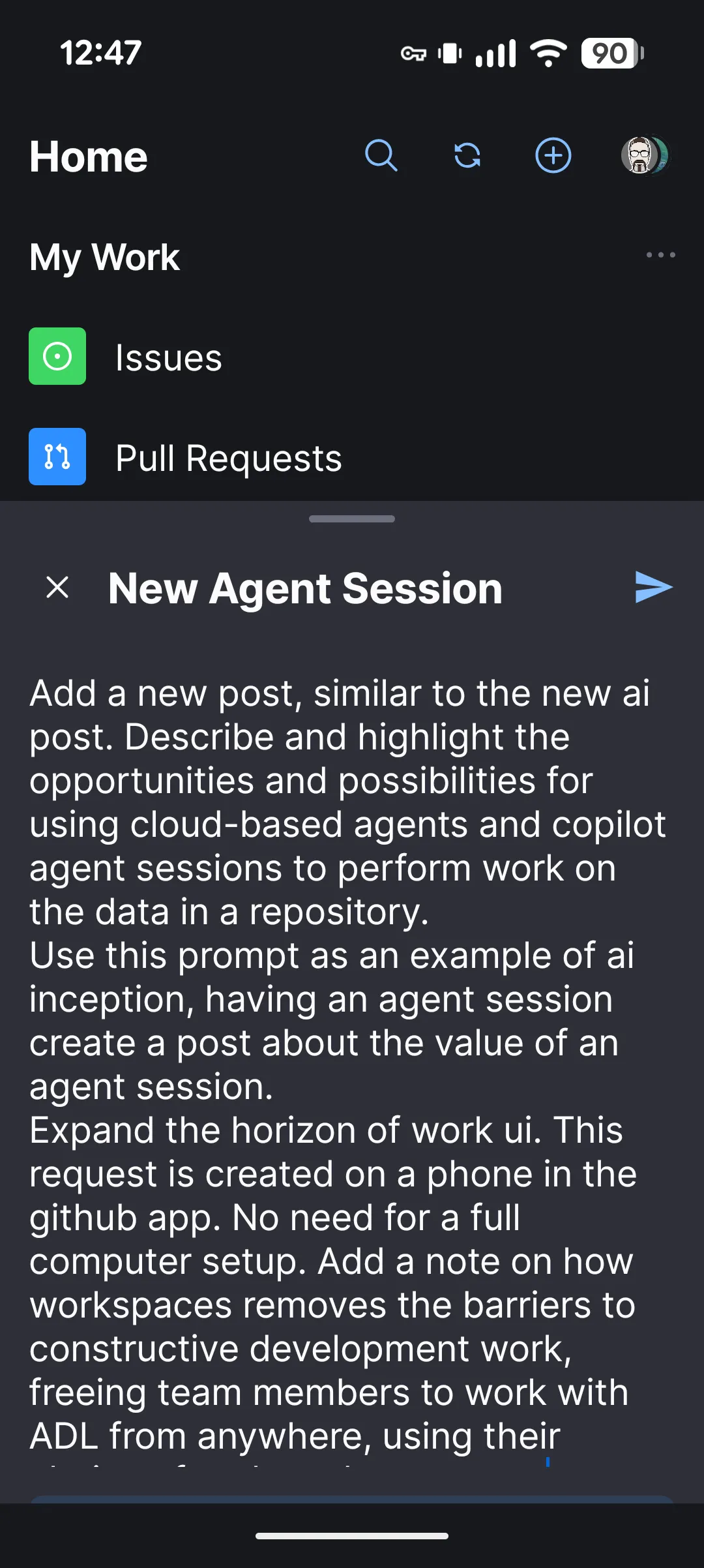
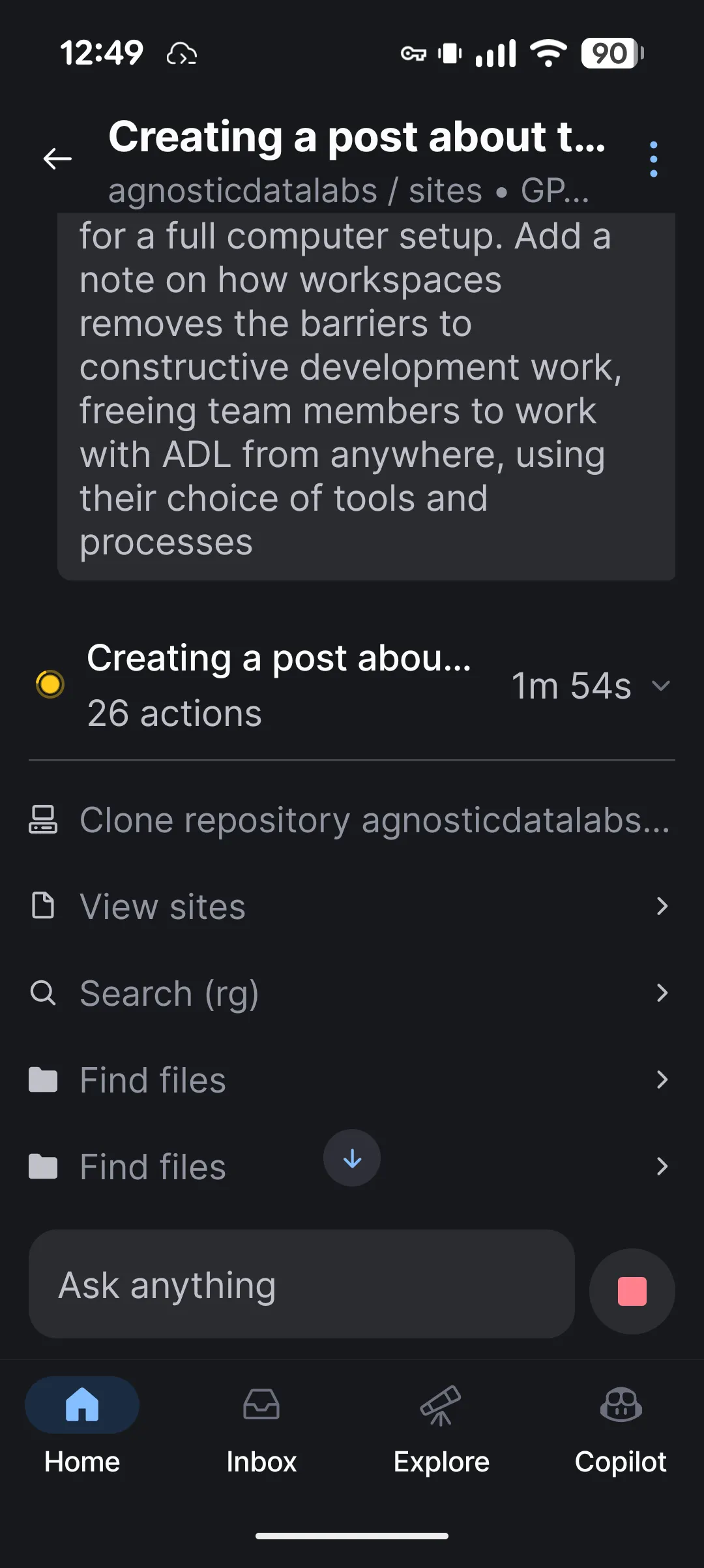
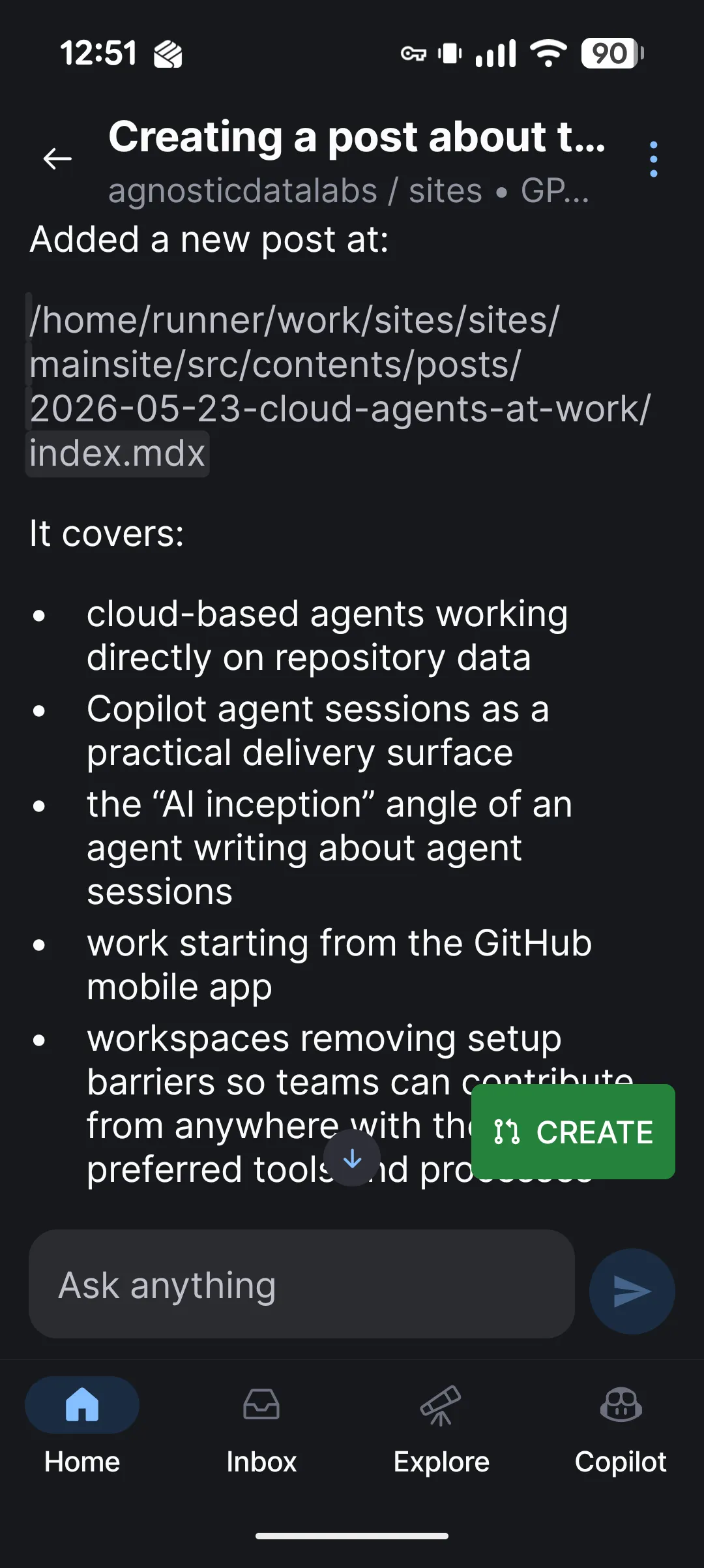
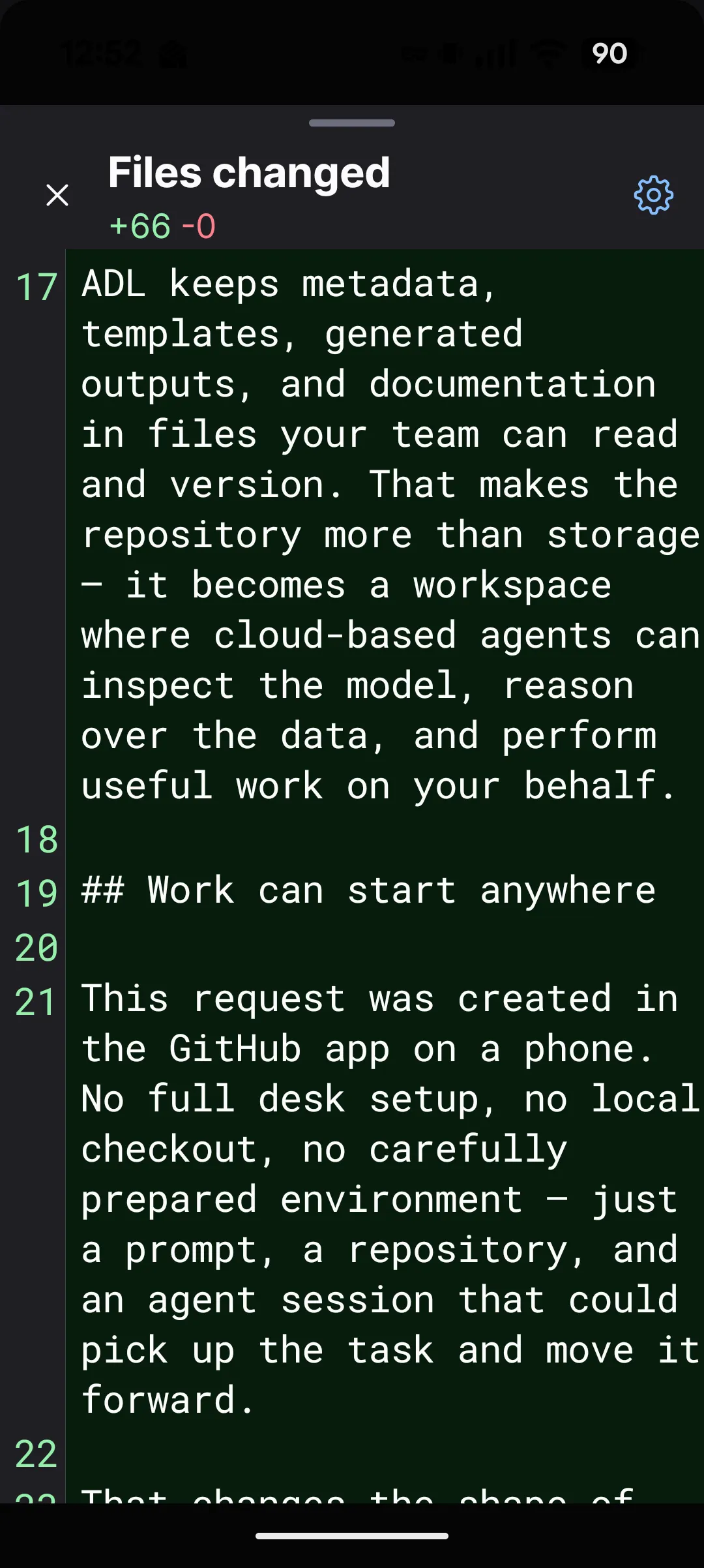
The work UI is broader than a single editor window on a single machine. Issues, prompts, repository context, agent sessions, reviews, and pull requests all become part of one working surface.
Cloud agents expand that horizon. A task can begin in a mobile app, continue in an agent session, and finish in the review flow your team already uses. The repository stays at the center, while the interface to productive work becomes much more flexible.
GitHub Codespaces (and similar offerings from others) remove barriers to constructive development work. Team members can engage with ADL from anywhere, using their choice of tools and processes, without first rebuilding the same local setup on every machine.
That is valuable for quick follow-up tasks, distributed teams, and moments when the best contribution is not tied to a specific desk. A repository-backed workspace plus an agent session means people can move from idea to meaningful progress with much less friction.
ADL currently uses the web browser as the primary UI, with local file editing. This is by design, full local, serverless projects. No server-side connections or data processing. Mimicking Codespaces could work smoother with GitHub integrated file editing. Please let us know if that is something you would like to see.
None of this removes the human from the loop. It makes it easier for humans to start, delegate, review, and refine work.
The repository remains the source of truth. Changes are visible. Diffs are reviewable. Validation still matters. Agents can accelerate the path from intent to implementation, but teams stay in control of what becomes part of the project.
For this post, the agent session created the initial draft, the final version was reviewed and completed by a human. The hero image and the screenshots were added after by a human. The same applies to working with ADL projects. An agent session can do certain things well, but the human team members are the ones controlling what gets done, what gets added to the projects, and if the contents produced by the agent session is a valuable addition or a hallucinated mess.
The quickest path is to install a starter solution from the Marketplace, run the generator, and see real output land in your repository within minutes.