From sticky notes to physical tables — one design, many views
Roelant Vos 3 min read
A design typically starts as a concept. Boxes on a whiteboard, sticky notes on a wall, and a few words about what each concept means and how it relates to the next one. Useful — but loose, and the moment you start building, the sketch tends to get left behind.
The physical implementation gets formal: tables, columns, foreign keys, data logistics. However, these two views often drift apart, and the conceptual sketch ends up in a slide deck that nobody updates.
What if the conceptual sketch and the physical implementation could live in the same project — connected — with each side rendering the way you want to work with it?
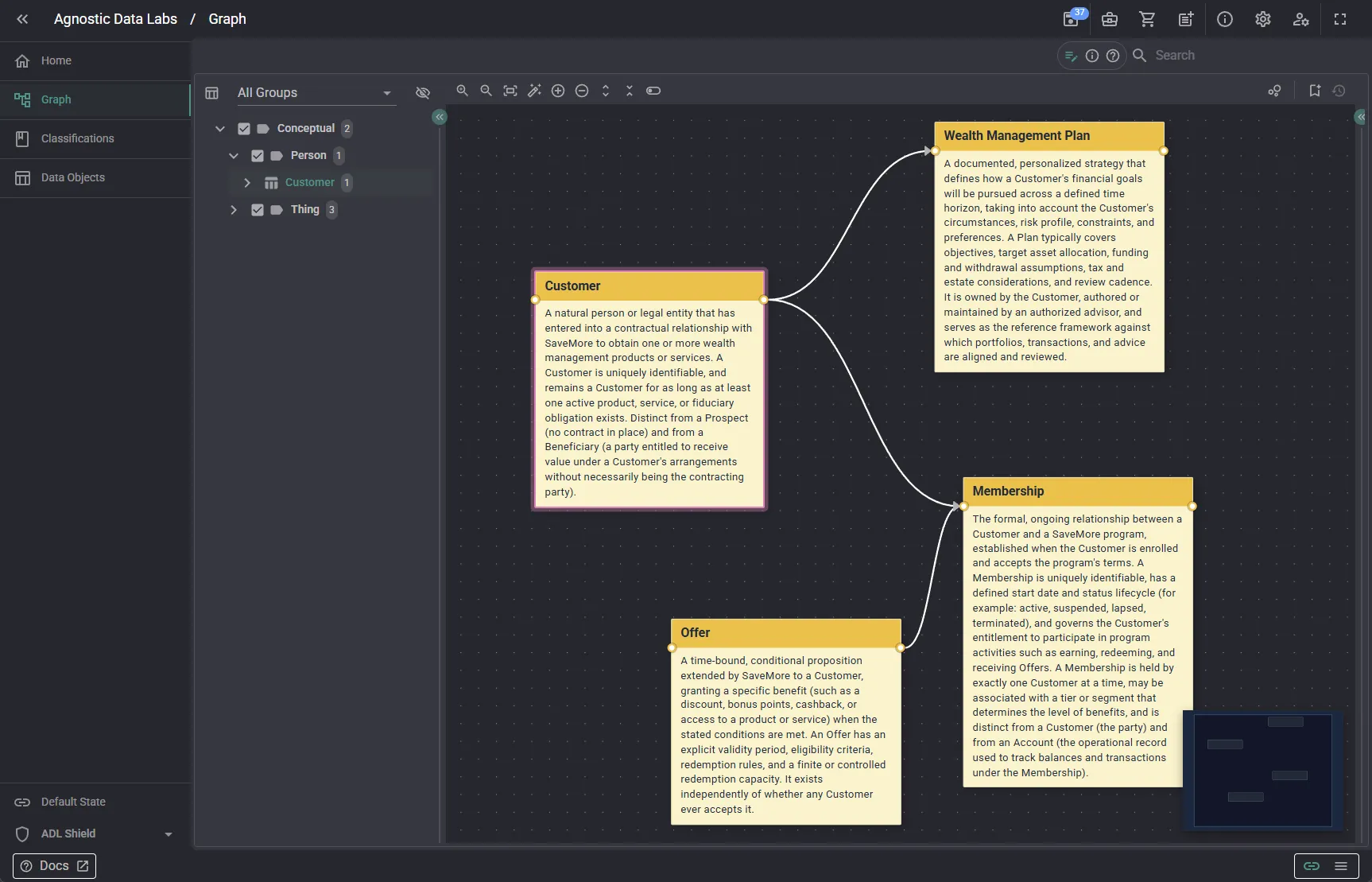
The four nodes above — Customer, Offer, Membership, Wealth Management Plan — are the same kind of Data Objects you would find in any ADL project. The difference is how they are presented. Each carries a longer description of what the concept means, presented as a sticky note rather than a tabular format. The shape signals that we are looking at a conceptual layer.
That style is not a property of the node. It is a property of the persona.
A persona in ADL holds a collection of configurations tailored to a role or task. We have covered classification chips before — small colored labels rendered on nodes based on the persona’s interests. Node styles are the same idea taken a step further: the persona controls how the entire node is displayed.
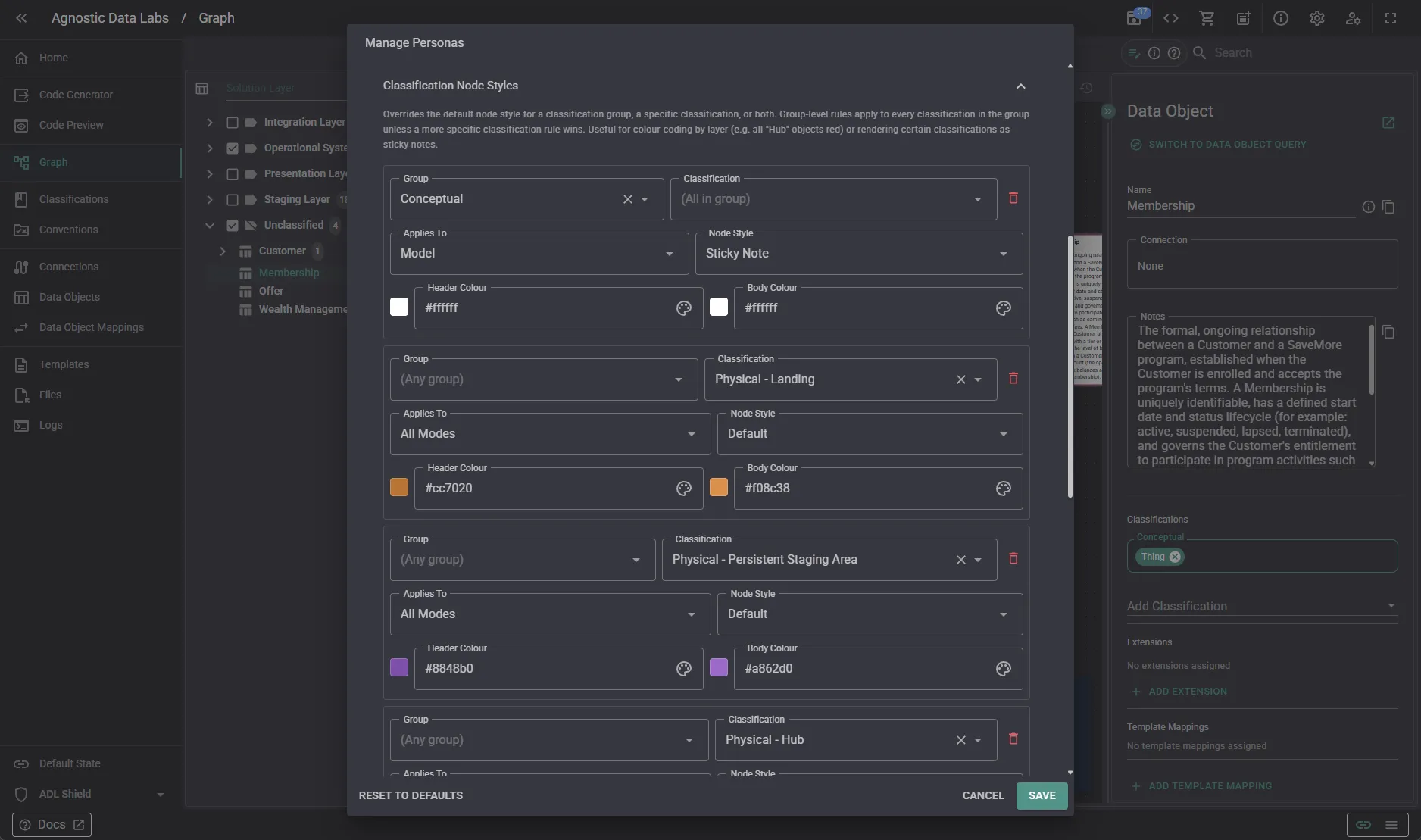
In the persona configuration above, each row maps a classification to a node style. Conceptual nodes render as sticky notes in Model mode; Physical - Landing, Physical - Persistent Staging Area, Physical - Hub and the rest render as default tabular nodes. The persona owns the mapping. The metadata stays the same.
A few examples of how this plays out:
- The Business user persona renders conceptual classifications as sticky notes with descriptions, hiding the implementation detail entirely. The graph reads as a domain map.
- The Data modeler persona does both. Conceptual sticky notes on one side of the canvas, physical tables on the other, with the Data Object Mappings between them showing how the design landed.
- The Developer persona renders physical classifications (Hub, Link, Satellite, Staging) as full model nodes — column lists visible, structure clear.
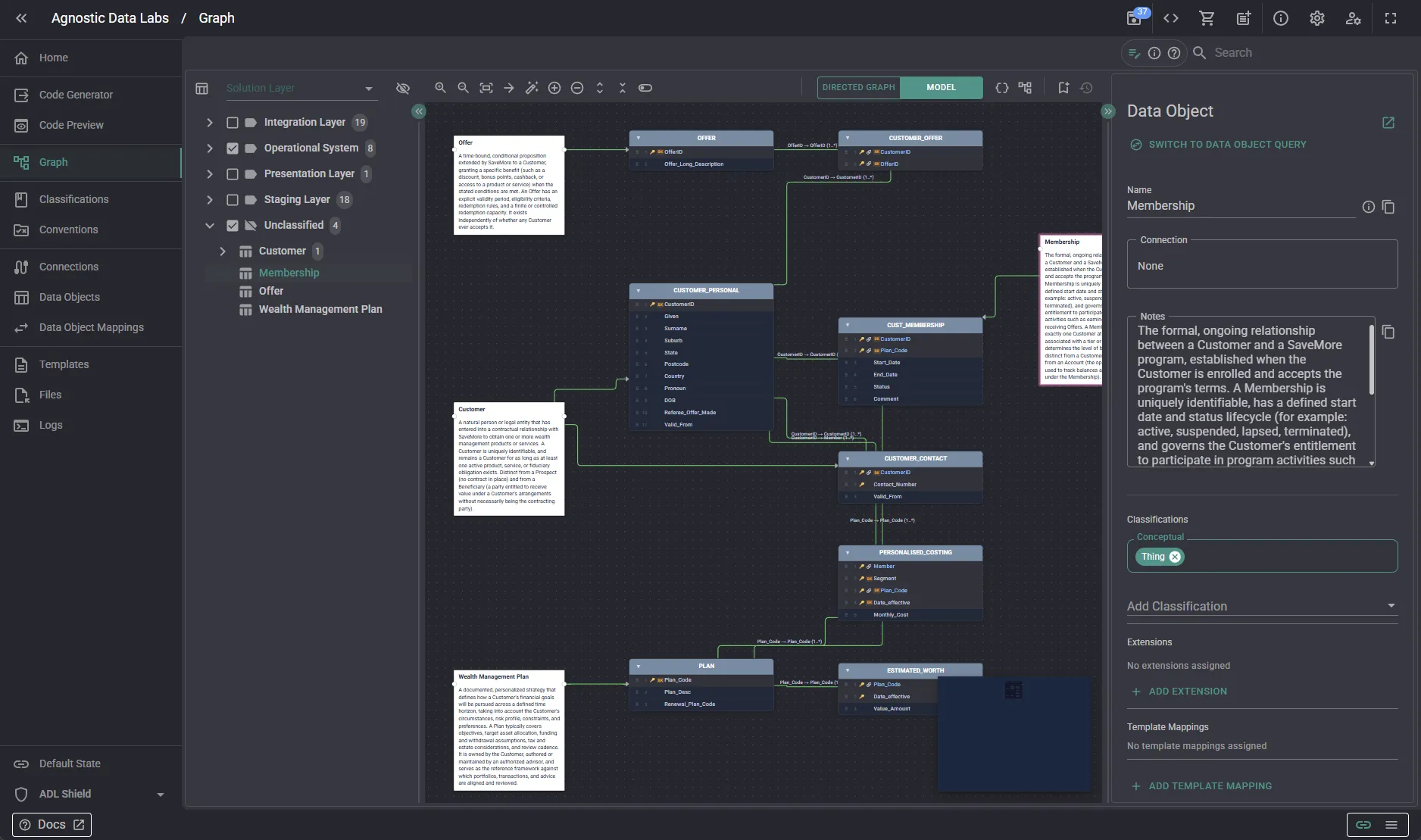
That last view is the interesting one. The Membership sticky note on the left and the Hub and Satellite tables on the right are different Data Objects — but they live in the same project, connected by Data Object Mappings that describe how the conceptual translates into the physical. The mappings are themselves metadata you can trace, version, and read from templates: the physical implementation can be derived from the conceptual design rather than authored twice. You navigate from the business concept to the tables that realize it, and back, without leaving the canvas.
Because node styles are persona configuration, you can switch perspective without touching the metadata. The conceptual Membership keeps its sticky-note rendering for the Business user; the Hub and Satellite tables that implement it keep their model-node rendering for the Developer. What changes is which classifications each persona surfaces, and the style it asks for them.